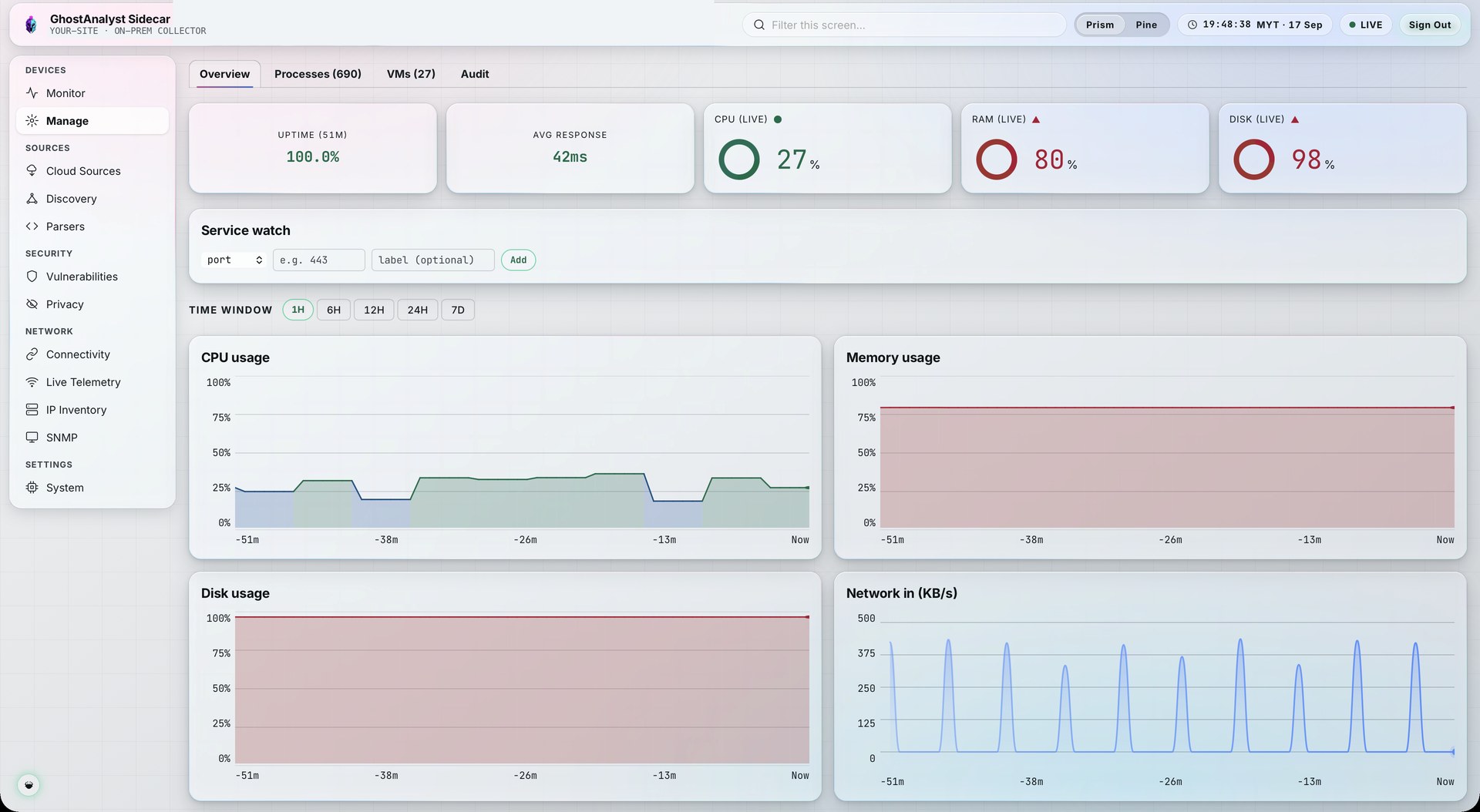
Know which devices are up, and read the day's threats over coffee.
Network monitoring runs on the same Sidecar that collects your logs. The iNTelligence Digest sends a written threat summary to your inbox every day and every week.
Health checks without another agent.
The Sidecar already sits beside your devices, so monitoring needs no extra software on them.
| Check | How | What you see |
|---|---|---|
| Reachability | TCP checks against every monitored device | Up or down, with an alert when a device drops |
| Host metrics | Over SSH, no agent installed | CPU, memory, disk and interfaces |
| Device health | SNMP polling | Availability and device metrics |
| Discovery | Passive, on your private subnets | Devices you may not have registered yet |
One less tool to license and watch.
- Down events count
A device going offline feeds the threat score, so outages and attacks sit on one screen.
- One health view
Availability, metrics and security posture for each device, together in Mission Control.
- Network reports
Pick devices and a time window, get a report with a written summary, kept in the Regulatory Hub.
The iNTelligence Digest.
A scheduled, AI-written threat summary for the people who will not open a console.
- Daily and weekly editions
- Threat score trend for the period
- The most significant IOC hits to follow up
- Sent to the recipients you choose
Threat score trend, the most significant IOC hits, and a short written summary of what changed and what to look at first.
IllustrationHow a digest reaches your inbox.
- Step 1Period closesEnd of the day or the week
- Step 2GatheredTrend and top IOC hits collected
- Step 3WrittenAI writes a short plain summary
- Step 4DeliveredEmailed to your chosen recipients
Get tomorrow's digest from your own estate.
60-day full-platform trial. No credit card. No inbound firewall changes. Live in under an hour.